


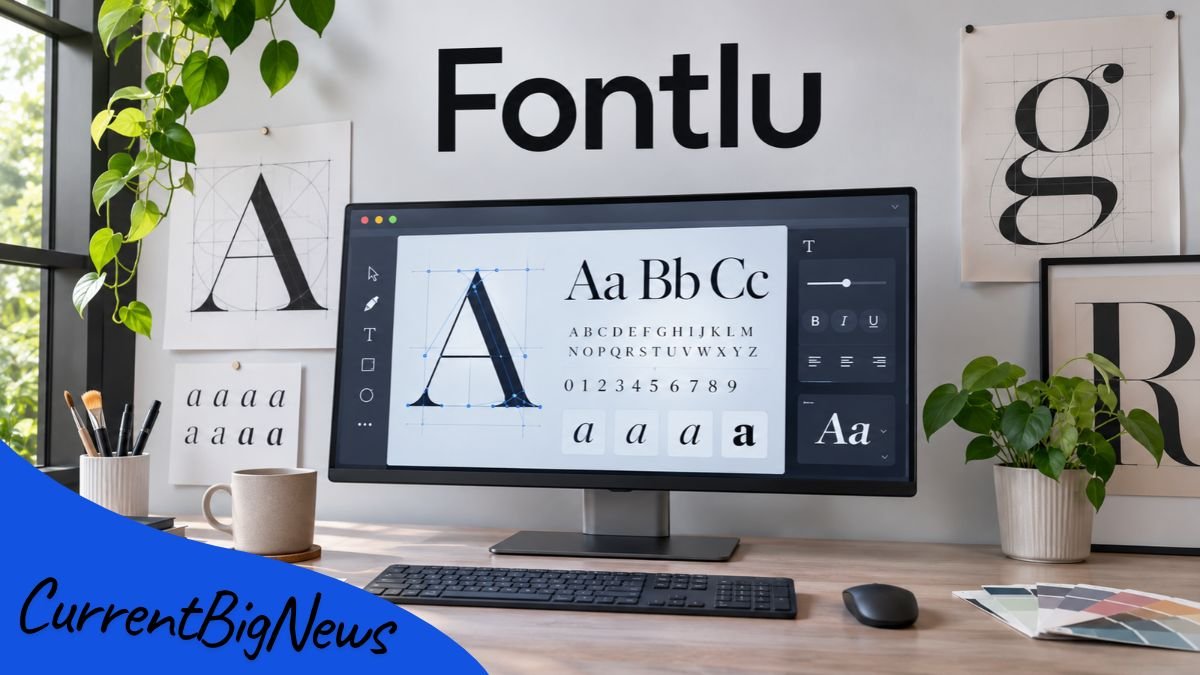
Fontlu is a name associated with online typography resources, font preview tools, and digital design. People searching for it may want to discover stylish typefaces, experiment with text appearance, or determine whether the available tools suit creative and professional projects.
The important distinction is that the name appears in connection with more than one online resource. Some descriptions present it as a font library, while others describe browser-based typography tools that offer previews, comparisons, and styling controls. These resources should not automatically be treated as one company or unified platform.
This guide examines what can be verified about the available services, how their typography features work, and what designers, developers, and everyday users should consider before downloading or using fonts.
What Is Fontlu?
Fontlu is primarily associated with websites and tools focused on fonts, text styling, and digital typography. It is not a recognized universal font format or an established technical standard. Instead, the name is used by online resources that aim to make exploring and presenting typefaces easier.
One standalone website describes itself as a source of free and premium fonts. Its publicly visible homepage includes a basic text preview interface where visitors can enter words, choose a font, adjust its size, and examine the result.
A separate typography tool hosted by Langlation uses the same name for a more detailed browser-based design interface. It offers font browsing, styling adjustments, comparisons, and CSS export options.
The key distinction is that these are identifiable online implementations, not necessarily parts of the same service. Reliable public information does not establish a shared owner or operating company.
Understanding that distinction helps readers evaluate the exact resource they intend to use rather than relying on broad claims about the name.
Fontlu as a Font Preview Resource
The standalone website presents a feature labeled Font Creator Tool. Despite the title, the visible functionality is better described as text previewing than professional typeface creation.
Visitors can enter sample text, select an available font, modify its displayed size, and view the result. The interface also provides a copy-text control.
These features help you quickly check how a word, heading, or short phrase looks in a particular typeface.
However, creating an original font is a different technical process. Professional font-design applications usually support editing individual glyphs, adjusting character spacing, configuring OpenType features, and exporting finished font files.
Those capabilities shouldn’t be assumed simply because a website labels its interface a font creator.
A Separate Typography Tool From Langlation
Another Fontlu implementation is available through Langlation, an online collection of text and developer utilities.
This version describes itself as a free browser-based typography tool and provides access to more than 45 Google Fonts, according to its published interface.
Its controls include font family, weight, size, line height, letter spacing, word spacing, alignment, text color, and background color.
The tool also presents curated font pairings and a comparison interface. Its published description identifies 12 heading-and-body combinations and the ability to compare up to eight fonts.
A code export panel provides CSS styling information and Google Fonts integration code.
These features are specific to the Langlation implementation. They should not be attributed automatically to other websites using the same name.
How Does Fontlu Work?
Fontlu’s basic principle is visual experimentation. Instead of selecting a typeface without seeing it in context, users can preview their own text and assess its appearance before making a design decision.
For a simple preview, the process begins with entering a phrase or sentence. The user chooses an available font, adjusts its display size, and examines the appearance.
The more advanced Langlation implementation offers additional controls for exploring how typography behaves in different design settings.
This makes the process useful for website headings, brand names, presentations, social media graphics, and editorial layouts.
A preview does not guarantee that a font will behave identically inside another application. Different software, browsers, operating systems, and rendering environments can affect its appearance.
For dependable results, the chosen font must ultimately be tested in the software or website where it will appear.
Understanding the Main Typography Controls
Several controls directly influence how text looks and feels.
Font family determines the basic visual design of the characters. Serif typefaces include decorative strokes, while sans-serif designs generally have simpler letter endings.
Font weight affects how light or bold the characters appear. A suitable weight can clearly distinguish headings from body text.
Line height controls the vertical spacing between lines. Comfortable spacing helps longer passages remain readable.
Letter spacing adjusts the distance between individual characters. Small changes may improve a heading, although excessive spacing can make continuous reading harder.
Text alignment and color influence visual balance and contrast. Both should support readability rather than merely create an attractive preview.
These controls are most valuable when evaluated together because typography works as a complete visual system.
Why Font Selection Matters in Digital Design
Typography communicates more than the literal meaning of words. It helps readers understand the structure, importance, and tone of information.
A financial services website might benefit from restrained, highly legible lettering. An entertainment publication may use a more expressive display face for headlines while maintaining a straightforward typeface for its articles.
Neither approach is automatically better. The appropriate choice depends on the audience, content, and reading environment.
Fontlu-style tools can help with these decisions by letting designers explore alternatives before committing to a visual direction.
For websites, typography also affects usability. Poor contrast, unusually narrow lettering, inconsistent spacing, or complicated decorative styles can make information harder to read.
A successful design balances personality with clarity. Decorative fonts can work well in short headings, but longer paragraphs generally require a typeface that stays comfortable across many lines.
Building a Consistent Font System
One practical approach is to establish a small typography system rather than choosing a new font for every element.
A website might use one family for article text and another for section headings. Alternatively, a single family with different weights can create an equally effective hierarchy.
Consistency matters most when content appears across desktop browsers, mobile devices, newsletters, and promotional materials.
Designers should test real headlines, paragraphs, numbers, punctuation marks, and relevant language characters.
A font that looks attractive when displaying a short English word may not offer the necessary character coverage for multilingual content.
The best typeface is not necessarily the most distinctive one. It is the one that performs reliably in its intended context.
Is Fontlu Free and Safe to Use?
The answer depends on which service is being used and what the user intends to do.
Langlation describes its typography tool as free to use without registration. Its interface relies on Google Fonts, whose official collection is distributed under open-source licenses that permit commercial use, subject to the applicable license conditions.
The standalone website also describes free and premium font resources. However, its public-facing claims do not independently establish the availability, origin, or licensing conditions of every font mentioned.
Likewise, verified information is insufficient to provide a definitive security assessment of every website operating under the name.
A sensible approach is to distinguish between using an online preview and downloading files from an unfamiliar source.
Previewing text generally involves fewer installation risks than downloading and executing software. Nevertheless, users should avoid entering passwords, confidential client material, or sensitive personal information into unfamiliar online tools unless they understand the tool’s privacy practices.
Understanding Font Licenses
Fontlu users should pay particular attention to licensing before incorporating a typeface into a commercial project.
A font being available without payment does not automatically mean it can be used for every purpose.
Some licenses permit personal projects but restrict commercial branding. Others allow broad commercial use while placing conditions on redistribution, modification, or embedding.
Downloading a font file is different from getting permission to distribute it to customers.
For business websites, advertisements, packaging, or client logos, users should identify the original font creator and review the applicable license.
If licensing information is absent or contradictory, choosing a font from an established source with clear terms is the safer option.
Font Formats and Website Compatibility
Font formats determine how typefaces are stored, installed, and delivered to software.
TrueType fonts, commonly identified by the TTF extension, are widely supported in desktop applications. OpenType fonts, often distributed as OTF files, can support advanced typographic features.
For websites, WOFF and WOFF2 formats are designed for efficient browser delivery. WOFF2 is particularly useful because it provides compressed font data suitable for web use.
These are established formats in the typography industry, but their availability doesn’t mean a font website offers downloads in every format.
Users should also consider whether their selected typeface supports the necessary language characters, weights, and styles.
For website projects, optimized font loading matters. Excessive font families or unnecessary weight files can increase page resources and potentially affect loading performance.
A practical approach is to use only the styles the design requires and test the completed website on several screen sizes.
What Is Verified and What Remains Unclear?
Public information about Fontlu provides a useful picture of its visible tools, but it does not support every claim made in online descriptions.
The standalone website visibly presents a basic font preview interface and describes itself as a font resource.
The separate Langlation tool publicly documents its typography controls, font comparisons, pairing options, and code export functionality.
Beyond these identifiable features, several claims require caution.
Reliable evidence is insufficient to establish a single company controlling every resource with this name. No universally recognized founder, official development history, or comprehensive product catalog has been independently established.
Claims involving artificial intelligence, extensive cloud-based font management, team collaboration, or enterprise integrations should not be presented as universal capabilities without evidence from the particular service offering them.
This distinction matters because a feature described in a promotional article isn’t necessarily available in a working product.
Readers should evaluate interfaces, documentation, licensing information, and observable functionality rather than assuming every published description is accurate.
How Fontlu Compares With Established Font Resources
Fontlu can be useful for quick typography experiments, particularly when the goal is to compare text appearances rather than develop original fonts.
However, its capabilities should be assessed alongside more established options.
Google Fonts provides an extensive collection of openly licensed typefaces for website and design projects. It also provides integration methods for developers.
Adobe Fonts offers a different model, with access to typefaces governed by Adobe’s service and licensing conditions.
Professional font editors serve another purpose entirely. They allow designers to build or modify the shapes and technical properties of individual characters.
A browser-based preview tool generally occupies a simpler position in this workflow. It helps users evaluate how fonts look, while specialized applications handle original typeface development.
For beginners, this difference can prevent unnecessary confusion between finding a font, previewing a font, and actually designing one.
Practical Tips for Choosing Better Fonts
Fontlu’s usefulness ultimately depends on how thoughtfully you use its available controls.
Start by considering where the text will appear. A large promotional heading has different requirements from an article containing several thousand words.
Next, compare a limited number of fonts using identical sample text. This makes differences in character width, spacing, and readability easier to identify.
For longer content, test full paragraphs rather than individual words. Pay close attention to lowercase letters, punctuation, numbers, and line breaks.
Accessibility should remain central to the decision. The Web Content Accessibility Guidelines recommend sufficient contrast between text and its background. For ordinary text, the commonly applicable WCAG AA minimum is a contrast ratio of 4.5:1.
Web content should also support text resizing up to 200% without losing essential information or functionality.
Finally, confirm that the chosen typeface can be legally used, technically supported, and displayed consistently in the finished project.
FAQs
1. What is Fontlu mainly used for?
It is associated with online font previews and typography experimentation. Available implementations help users explore text appearance, compare typefaces, and make design decisions.
2. Can I download fonts for commercial projects?
That depends on the particular resource and the license attached to each font. Before using any typeface commercially, verify its origin and permitted uses rather than assuming every free font includes unrestricted rights.
3. Is it suitable for beginners?
Yes, the basic preview controls are easy to understand without extensive design experience. More advanced settings, such as line height and letter spacing, may require experimentation to achieve balanced results.
4. Does it create completely original typefaces?
The publicly identified preview tools do not establish full professional font-editing capabilities. Creating an original typeface usually requires dedicated software to draw glyphs, adjust spacing, and export font files.
5. Is the platform owned by one verified company?
There is not enough reliable public information to establish common ownership of the different resources using this name. Users should assess each website separately and avoid assuming the services are officially connected.
Conclusion
Fontlu is best understood as a name associated with online typography resources rather than one universally established font-design platform. Its publicly identifiable implementations include a straightforward text preview website and a separate, more detailed typography tool hosted by Langlation.
These resources illustrate how browser-based tools can support font discovery, visual comparisons, and everyday design decisions. However, users should distinguish demonstrated functionality from promotional claims, especially when considering downloads, commercial licensing, or advanced software features.
For designers, bloggers, developers, and business owners, the most valuable lesson is practical: attractive typography requires more than finding an appealing font. Readability, accessibility, licensing, compatibility, and consistent presentation all contribute to a successful result.